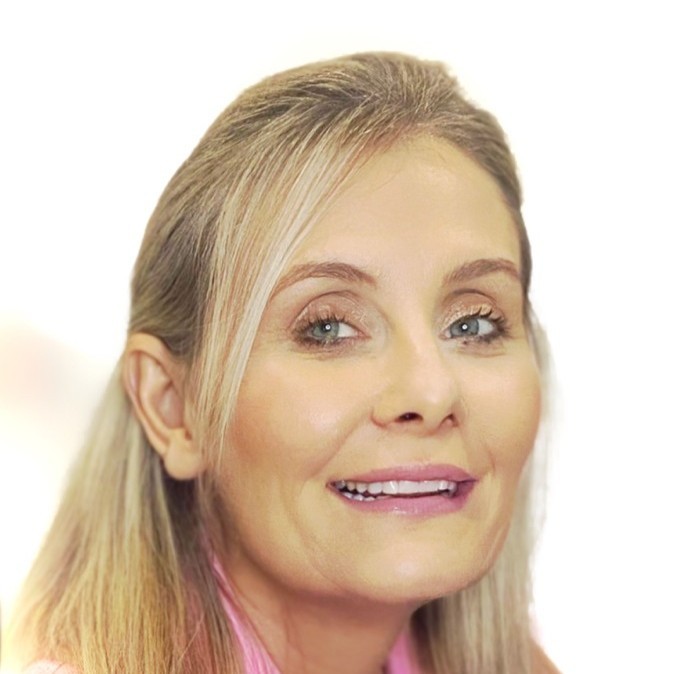
You've probably tried this once already. You signed up for Veo or Kling, typed "a cinematic shot of a woman walking through a field at sunset," paid your $1.92, waited three minutes, and got back something where the grass was the wrong colour, the woman had seven fingers, and the lighting looked like a porch lamp.
You closed the tab. You decided AI video wasn't ready.
It is ready. You just got bad output because you wrote a bad prompt. Most people do. The difference between you and the creators producing viral AI video is not skill, talent, or budget. It's that they know one specific thing about how to write the brief.
I'm going to show you that thing. Then I'm going to give you five prompts you can copy tonight. Then I'm going to give you a literal Monday-morning plan.
By the end of this article, you will know enough to produce a usable AI video by the end of the week.
The thing to understand (with one example)
Here are the same scene, prompted two different ways. Same model. Same cost. Wildly different output.
Prompt A — what most people write
"A cinematic shot of a woman walking through a field at sunset."
What you get: A 28-year-old in a flowing white dress walking through bright green grass at high noon. The "sunset" is harsh midday light. Her hand looks like a starfish.
Prompt B — what works
"A woman in her late 50s, cream linen shirt, walks slowly through waist-high dry golden grass. Late golden hour, 5pm, low sun streaming from camera-right at 30 degrees. Wide shot from behind, slow forward push, 50mm lens. Aesthetic reference: Past Lives by Celine Song. Audio: soft wind, distant birdsong, no music. NEGATIVE: text, watermark, fast motion, distorted hands, eye contact with lens."
What you get: Exactly what you imagined.
That's the entire trick. Specificity. Reference. Negative prompt.
The reason Prompt A fails is the AI doesn't know what kind of woman, what kind of field, what time of day, what kind of camera, what kind of light, or what "cinematic" means. So it picks generic defaults for all of them. You get a stock-image-come-to-life.
The reason Prompt B works is you've removed the AI's freedom to guess. You told it the age, the clothing, the height of the grass, the time of day, the angle of the light, the lens, the camera move, the visual reference, the sound, and what NOT to include. There's almost no room for it to drift.
Once you've seen this, you can't un-see it. Every prompt from here forward is just a longer or shorter version of Prompt B.
The 4-part framework (the only thing you need to remember)
You don't need to memorise seven components. You need four.
- SUBJECT — who/what, very specifically
- SCENE — where, when, what kind of light
- CAMERA — angle, lens, movement
- STYLE — reference a real film or director
Then add a one-line negative prompt at the end naming what you don't want.
That's it. Five lines. Memorise the structure once and you can write a working prompt in under a minute.
Here it is filled in:
SUBJECT: A woman in her late 40s, cream knit jumper, calm expression
SCENE: Sits at a wooden kitchen table at 10am, soft natural window
       light from camera-left
CAMERA: Mid-shot, 50mm lens, locked-off camera
STYLE: Documentary interview style, A24 cinematography
NEGATIVE: text, watermark, smiling exaggeratedly, distorted hands
Five lines. Drop it into Veo or Kling. Get usable output.
Your 5-prompt starter kit (copy these tonight)
These are tested formats. Copy them exactly the first time. Change ONE thing the second time. Change another the third time. By generation 10, you'll be writing your own.
1. The talking head
SUBJECT: A woman in her [AGE] with [HAIR DESCRIPTION], wearing
[OUTFIT], calm and warm expression
SCENE: Sits at a wooden table by a window at 10am, soft natural
window light from camera-left
CAMERA: Mid-shot, 50mm lens, locked-off camera
STYLE: Documentary interview style, A24 cinematography
AUDIO: Quiet domestic ambience, no music
NEGATIVE: text, watermark, exaggerated smile, distorted hands,
deformed face
Use for: founder videos, brand introductions, testimonial-style content.
2. The mood piece
SUBJECT: A hand pours steaming coffee from a French press into a
ceramic mug
SCENE: Wooden countertop, soft morning light from camera-right,
cream walls blurred in background, single flower in a glass jar
CAMERA: Close-up overhead shot, slow pour over 5 seconds, locked-off
STYLE: Aftersun by Charlotte Wells, soft contemplative domestic
AUDIO: Pour sound, distant birdsong, no music
NEGATIVE: text, watermark, multiple hands, fast motion, plastic skin,
extra fingers
Use for: lifestyle B-roll, brand mood pieces, intro shots.
3. The "shot on iPhone" social piece
SUBJECT: A woman in her 50s, no makeup, hair slightly undone, sitting
on a kitchen stool with a coffee
SCENE: Suburban kitchen on a slow Sunday morning, soft natural light,
slightly cluttered background
CAMERA: Mid-shot, 28mm focal length feel, slight handheld camera
movement, slightly cooler colour grade
STYLE: Shot on iPhone 14, real Instagram footage, NOT cinematic
AUDIO: Distant suburban morning sounds, soft sip, no music
NEGATIVE: cinematic lighting, professional camera, polished colour
grade, posed expression, eye contact with lens
Use for: Reels, TikTok, anything that should look real. This format beats polished content by 93% on social right now.
4. The landscape
SUBJECT: A wide expanse of [LOCATION]
SCENE: [TIME OF DAY], [WEATHER], [LIGHT DIRECTION]
CAMERA: Aerial drone, slow forward push over 8 seconds, ascending
50 feet
STYLE: Terrence Malick wide nature shots, Tree of Life
AUDIO: Gentle wind, distant birdsong, no music
NEGATIVE: text, watermark, oversaturated colours, lens flare,
multiple drones, motion blur
Use for: opening shots, hero pieces, atmospheric content.
5. The product shot
SUBJECT: [YOUR PRODUCT] on [SURFACE]
SCENE: [LOCATION], [TIME OF DAY], [LIGHT DIRECTION]
CAMERA: Eye-level, slow dolly-in over 6 seconds, medium shot,
shallow focus on product
STYLE: Clean editorial commercial style
AUDIO: Quiet ambience, subtle chime at second 5
NEGATIVE: text, watermark, multiple products, oversaturated colours,
deformed perspective
Use for: sales pages, launch content, product reveals.
Your Monday morning plan
Stop reading after this section. Open the tool. Do this:
- Open the AI video tool of your choice. (PiAPI, Replicate, or direct Veo/Kling — whichever you already have an account with. If you have none, piapi.ai is the easiest starting point and supports both Veo and Kling through one interface.)
- Pick ONE prompt from the starter kit above. Don't change anything yet.
- Generate it once. Watch what you get.
- Look at the output. Where did it match? Where did it miss?
- Save the prompt and the output in a Google Doc called "AI Video Log."
- Take yesterday's prompt. Change ONE thing — the age, the time of day, the lens, the style reference. Just one.
- Generate it again.
- Compare the two outputs side by side. Notice what changed.
- Log both prompts and outputs.
Same as Tuesday. Change ONE different variable.
Same. One variable. Different one.
- By now you've done 4 versions of the same prompt. You know what each layer controls.
- Pick a DIFFERENT prompt from the starter kit. Generate it.
- Modify it once. Generate again.
- You've now done 6 generations. You have data.
End of week — what you'll have
- 6 generated videos
- 6 prompts in your log with notes on what changed
- A clear sense of what makes the difference between Prompt A and Prompt B
- Roughly $30 spent
- Enough working knowledge to produce a real video next week
This is faster than any course will teach you. The reason: you're learning by doing, on one variable at a time. By Friday you'll know more than 80% of people who post "ULTIMATE AI VIDEO GUIDE" content on LinkedIn.
When it goes wrong (and it will)
Five things that fail and how to fix them:
- The hands look wrong. Always. Add "distorted hands, extra fingers, deformed hand" to your negative prompt. If they're still wrong, change camera angle so hands aren't in frame, or use close-up that crops them out.
- The face changes between shots. Use the image-to-video mode (upload one reference image), or generate using the same SEED value across multiple prompts. Most platforms let you save and reuse a seed.
- The subtitles appear on screen. Add "no subtitles, no text overlay" to your prompt. Veo especially loves adding text.
- Everything looks like a stock photo. You skipped the style reference. Add "Aesthetic reference: [REAL FILM TITLE]". Never use "cinematic" or "beautiful" alone.
- The motion is too fast or too dramatic. State the camera move as its own sentence and specify the duration. "The camera slowly pushes in over 6 seconds." Not buried in a longer description.
What to actually spend
Honest numbers, if you're using Veo 3 via PiAPI (the same prices apply on direct API):
- Veo 3 standard, 8 seconds, with audio: $1.92 per generation
- Veo 3 fast, 8 seconds, no audio: $0.48 per generation
- Kling 1.6, 5 seconds: $0.10–0.50 per generation
Use Veo 3 fast or Kling for learning. Switch to Veo 3 standard only for final pieces you'll publish.
If you follow the Monday-Friday plan above, you'll spend roughly $30 in your first week. After that, expect $50-100/month to maintain a real publishing cadence.
If you skip the plan and just YOLO prompts, you'll spend $200-400 in your first month and have nothing usable to show for it.
The bottom line
You don't need a course. You don't need a coach. You don't need to be a filmmaker.
You need:
- The 4-part structure (subject, scene, camera, style + negative)
- One reference film instead of the word "cinematic"
- The patience to change one variable at a time
- A starter kit of 5 working prompts (above)
- One hour a day for one week
By next Friday, you'll have produced something usable. You'll know which platform you prefer. You'll have built a starter library you can grow from.
The first 5 generations will feel awkward. The 10th will surprise you. The 20th will make you stop apologising for AI video and start using it.
You can do this.
— Jules